Scale to Grams
How to Measure TV Screen Size: The Right Way to Measure
Quick Answer
TV screen size is the diagonal measurement of the visible screen in inches, not including the bezel. A "55-inch TV" has a 55-inch diagonal screen, roughly 48 inches wide and 27 inches tall. For 4K, sit 1.5-2.5x the diagonal away.
Try the TV Screen Tool55-inch TV size
48 x 27 in
122 x 69 cm screen
65-inch TV size
57 x 32 in
144 x 81 cm screen
4K viewing distance
1.5-2.5x diagonal
optimal range
Common TV Sizes and Dimensions
TV size is the diagonal in inches. Width and height are calculated from the 16:9 aspect ratio. Add 0.5-2 in on each side for the bezel to get total TV dimensions.
| TV size | Width | Height | Optimal 4K distance |
|---|---|---|---|
| 32 in | 28 in (71 cm) | 16 in (40 cm) | 4-7 ft (1.2-2.1 m) |
| 43 in | 37.5 in (95 cm) | 21 in (53 cm) | 5-9 ft (1.5-2.7 m) |
| 50 in | 43.6 in (111 cm) | 24.5 in (62 cm) | 6-10 ft (1.8-3.0 m) |
| 55 in | 47.9 in (122 cm) | 27 in (69 cm) | 6.9-11.5 ft (2.1-3.5 m) |
| 65 in | 56.7 in (144 cm) | 31.9 in (81 cm) | 8.1-13.5 ft (2.5-4.1 m) |
| 75 in | 65.4 in (166 cm) | 36.8 in (94 cm) | 9.4-15.6 ft (2.9-4.8 m) |
| 85 in | 74.1 in (188 cm) | 41.7 in (106 cm) | 10.6-17.7 ft (3.2-5.4 m) |
How to Measure Your Current TV
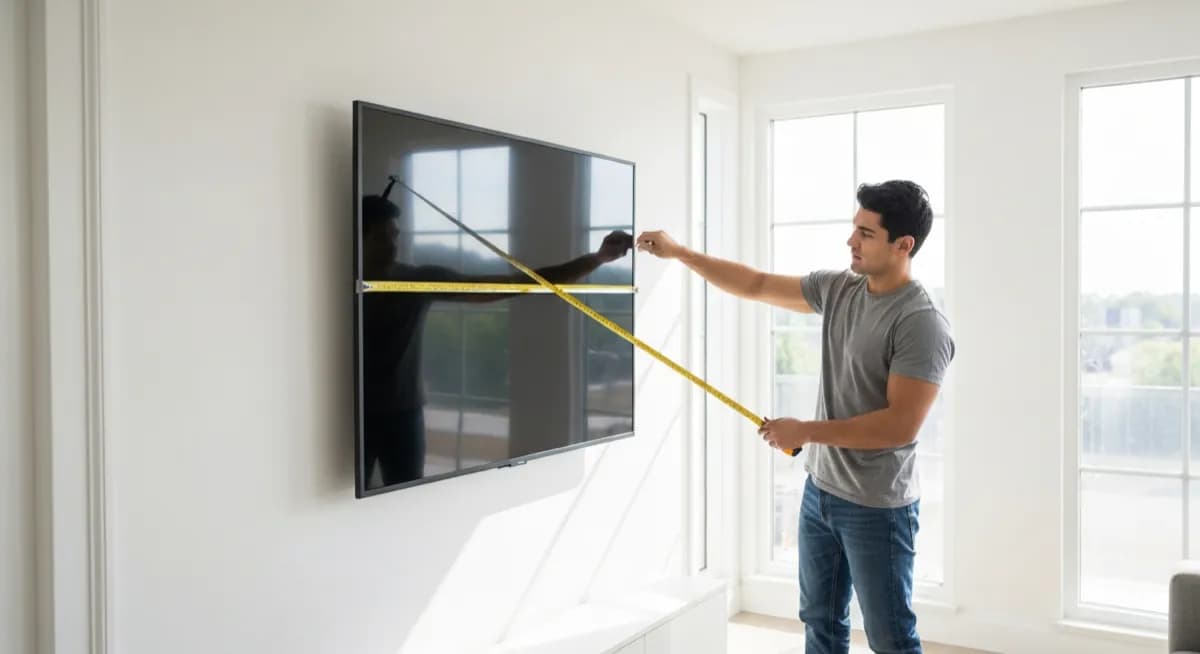
Measure diagonally from one inside corner of the visible screen to the opposite corner. Do not include the bezel or plastic frame. If wall-mounted and hard to reach, measure width and height separately and calculate diagonal = sqrt(W^2 + H^2). A 48 x 27 in screen = 55 in diagonal.
Choosing TV Size for Your Room
SMPTE recommends the screen fill about 30 degrees of your field of vision. For 4K, sit 1.5-2.5x the diagonal away. So a 55-in 4K TV is comfortable from 7 to 11.5 ft. For 1080p, sit at 2.5-3x diagonal to avoid seeing pixels.
TV Size vs Wall and Stand Space
Add bezel width to screen dimensions for total TV size. Stands add 2-6 in to width and 1-3 in to height. Leave 2-4 in of clearance on all sides for airflow. Entertainment center interior width must exceed total TV width plus bezel.
Frequently Asked Questions
How do you measure a TV screen size?+
TV screen size is the diagonal in inches from one inside corner of the visible screen to the opposite corner. Do not include the bezel. A 55-inch TV has a 55-inch diagonal screen.
Is TV size measured by width or diagonal?+
Diagonal. The advertised "55-inch" or "65-inch" is always the diagonal length of the visible screen, not the width. The actual width of a 55-in TV is about 48 inches.
How far should I sit from a 55-inch TV?+
For a 4K 55-inch TV, sit 6.9-11.5 ft (2.1-3.5 m) away. For 1080p, sit 11-14 ft (3.4-4.3 m). Closer than the recommended distance and you may notice pixels on 1080p.
What size TV is best for a 12x14 ft room?+
For a 12x14 ft room with seating about 8-10 ft from the wall, a 55- or 65-inch 4K TV is ideal. A 75-inch is the comfortable maximum unless you sit further back.
Does a 55-inch TV fit in a 60-inch entertainment center?+
Yes. A 55-inch TV is about 48-49 inches wide including bezels, which fits comfortably in a 60-inch entertainment center with several inches of clearance on each side.
How wide is a 65-inch TV?+
A 65-inch 4K TV with thin bezels is about 56.7-57.5 inches wide and 31.9-32.5 inches tall. With a stand it adds 2-3 inches to the height. Check the manufacturer spec sheet for exact dimensions.
Try These Tools
Put what you learned into practice with our free AI tools: