Scale to Grams
Scale Apps in 2026: What Each One Really Does
Quick Answer
No current phone can weigh an object by itself. A scale app either estimates the weight from a photo, displays the reading of a Bluetooth scale you already own, or uses the 3D Touch screen of an iPhone 6s to XS. Pick by which of those you were looking for.
Try a Photo Estimate FreePhones with a weight sensor
0
any brand, any year
Apps named Scale for Grams
20+
US App Store, Nov 2026
A real kitchen scale
$10-15
when you need true grams
Scale Apps at a Glance
Ratings and prices are what each store listing showed in the US on November 17, 2026. We read every listing and its own description of how it works; we did not run lab tests. Disclosure: the first app and the web scale in the last row are ours.
| App | Platform | What it really does | Rating | Price |
|---|---|---|---|---|
| Scale For Grams - Weighing AI (ours) | iPhone | Estimates weight from a photo | 4.6 (92) | $7.99/week, $24.99/year, $49.99 lifetime |
| Scale For Grams: Digital Scale (AVLABS) | iPhone | Estimates weight from a photo | 4.5 (3,562) | $3.99/week, $10.99/month, $29.99/year |
| Scale for Grams & Weights - Kilo | iPhone | Estimates weight from a photo | 4.6 (823) | $6.99/week, $24.99/year |
| Scale For Grams - AI Estimate | iPhone | Estimates weight from a photo | 4.6 (365) | $4.99/week, $24.99/year |
| Scale for grams - weight scale (Gram AI) | iPhone | Estimates weight from a photo | 4.6 (267) | $7.99/week, $29.99/year |
| Scale for Grams: Digital Scale | Android | Estimates weight from a photo | 4.4 (2,982) | Free, in-app purchases |
| Digital weight scale grams oz (Sensodroid) | Android | Display for a Sensodroid Bluetooth scale | 4.3 (40,681) | Free with ads; needs the scale |
| Weighing Smart Digital Scale (Sensodroid) | Android | Display for Bluetooth scales | 4.5 (10,143) | Free with ads; needs a scale |
| Digital Scale+ | Web | 3D Touch pressure, iPhone 6s to XS only | not rated | Free |
| Scale to Grams online scale (ours) | Web | Estimates weight from a photo | not rated | 1 free a day; $4.99/week, $24.99/year |
Why No Scale App Can Sense Weight
A scale works with a load cell, a part that bends slightly under weight and turns that into an electrical signal. No phone has a weight sensor. The sensors a phone does have measure motion, tilt, air pressure, and light, and none of them respond to an object resting on the glass. So every scale app is doing something other than weighing, and the useful question is what. There are four answers.
1. Photo Estimators (iPhone, Android, Web)
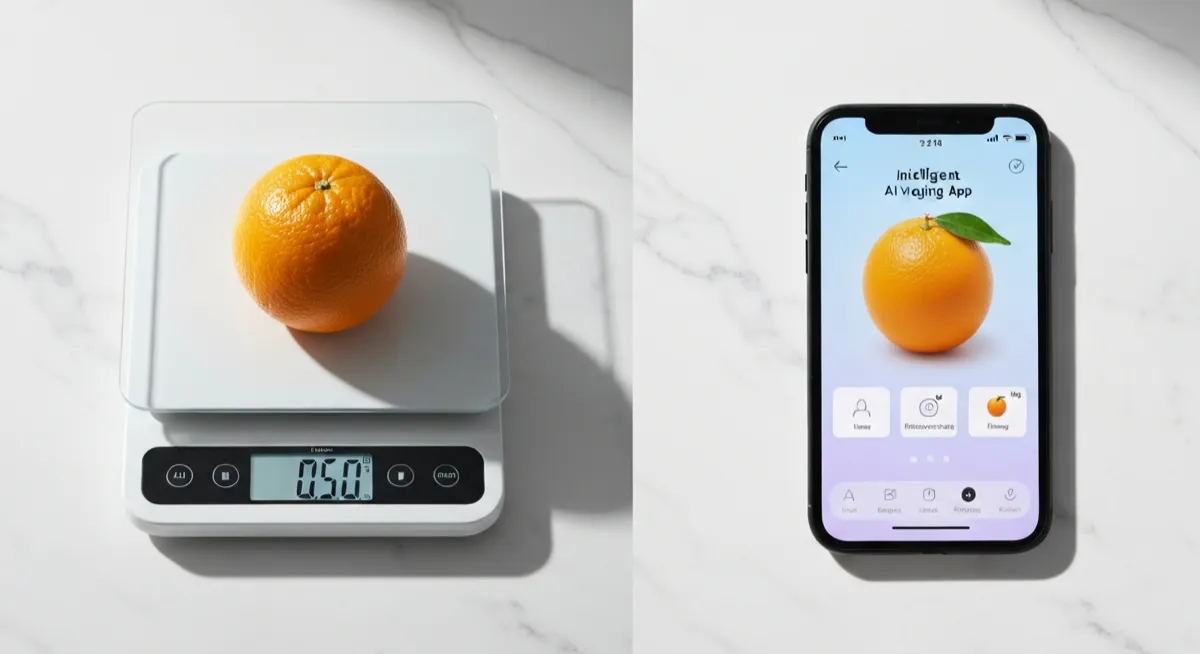
These apps never claim to sense weight. You take a photo, the software identifies the object, judges its size from what is around it, and estimates a weight from typical densities and known product weights. It works best on common things with a standard size, such as fruit, a can, a parcel, or a pair of shoes, and worst on hollow, unusual, or tiny objects. The honest ones say so: two of the listings above state in their own description that the app is not a real scale and gives estimates only. All five iPhone apps in the table use this method, are free to download, and charge a subscription for unlimited use, so the real differences are price and reviews.
Why So Many Apps Are Called Scale for Grams
Because it is what people type. Searching the US App Store in November 2026 returned at least 20 different apps with Scale for Grams in the name, from 20 different developers, most released since mid 2025. They are not versions of one product. Before installing, check the developer name, the date of the last update, and the weekly price, which among the five we list runs from $3.99 to $7.99. Ours is the one titled Scale For Grams - Weighing AI.
2. Companion Apps for a Bluetooth Scale
The two Android apps that rank highest for scale app on Google are not standalone scales. Digital weight scale grams oz, with over a million downloads, says in its own description that it is not fully functional without a Sensodroid Bluetooth scale and asks people not to leave reviews saying it does not work. Weighing Smart Digital Scale is a display for scales that speak common Bluetooth protocols. If you own the hardware these are exactly the right apps, with tare, unit switching, and history. Without it they show a demo.
| App | Platform | Works with | Rating |
|---|---|---|---|
| Digital weight scale grams oz | Android | Sensodroid Bluetooth scales | 4.3 (40,681), 1M+ downloads |
| Weighing Smart Digital Scale | Android | Many Bluetooth scale protocols | 4.5 (10,143), 500K+ downloads |
| VeSync | iPhone, Android | Smart scales from VeSync brands | 4.8 (77,556) |
| RENPHO Health | iPhone, Android | RENPHO body scales | 4.7 (9,050) |
3. 3D Touch Scales: Real, but Only on Older iPhones
From the iPhone 6s to the iPhone XS, the screen could measure how hard it was pressed. A few web apps use that to weigh small objects for real. Digital Scale+ is the one that ranks today: it runs in the browser, shows grams, ounces, pounds, or newtons, and asks you to place something conductive on the center of the screen, or to rest a spoon on it, tare, and put the object in the spoon. It only works on those 3D Touch models. Apple dropped the hardware starting with the iPhone XR and iPhone 11, so on any newer phone the page loads and measures nothing.
4. Apps Called Scale That Are Something Else
App Store search treats scale as a word, not a function. Happy Scale, rated 4.9 from 58,226 ratings, is a weight-loss trend tracker: you step on your own bathroom scale and type the number in. Scale, rated 4.7 from 50,398 ratings, is an arcade puzzle game. An app listed as Digital scale to weight gram describes itself as a unit converter. None of them is broken; they are just not what someone looking to weigh an object wants.
Which Scale App for Which Job
Match the tool to what a wrong number would cost you.
| You want to | Use | Why |
|---|---|---|
| Ballpark a parcel, fruit, or a portion | A photo estimator | A rough number is enough and you have no scale |
| Bake or brew by the gram | A kitchen scale ($10 to $15) | Ratios need real grams |
| See your smart scale readings | Its companion app | The hardware does the weighing |
| Track body weight over time | A tracker such as Happy Scale | Trends matter more than one reading |
| Weigh jewelry, gold, or medication | A 0.01 g pocket scale | An estimate is not acceptable here |
| Convert a weight you already know | A converter | No estimating needed |
How to Spot a Scale App That Cannot Work
Three signs. The listing claims the screen of a current phone senses weight. The screenshots show coins or fruit sitting on the display next to a number. And nowhere does it explain the method. Any one of them means the number on screen is decoration. A listing that uses the word estimate, names a Bluetooth scale it pairs with, or says which iPhone models it supports is telling you what it really does.
Our Recommendation, and Our Bias
We make one of the photo estimators and this website, so weigh our opinion accordingly. Before paying for any of them, try the method for free: the online scale on this site gives one estimate a day with no install and no account. If the numbers are useful for the things you weigh, an app adds the camera workflow and a history, and the table above lets you compare prices. If you need true grams, no app will do it, and a real kitchen scale costs about what three or four weeks of the cheapest weekly plan here does. For amounts you already know, the cups to grams and grams to ounces converters are exact and free.
Frequently Asked Questions
Is there a scale app that actually works?+
Not as a sensor: no current phone can weigh an object by itself. Photo estimator apps give a rough weight from a picture, companion apps show the reading of a Bluetooth scale you own, and 3D Touch web scales work only on an iPhone 6s to XS.
Can an iPhone be used as a scale?+
Only the iPhone 6s through XS, whose 3D Touch screens can sense pressure, and only for small objects through a web app such as Digital Scale+. iPhones from the XR and 11 onward have no hardware that responds to weight.
What is the best free scale app?+
The photo estimator apps we compared are free to download and charge for unlimited use. For a free estimate with nothing to install, the online scale on this site allows one a day. Companion apps for Bluetooth scales are free but need the hardware.
Is there a scale app for Android?+
Yes. Scale for Grams: Digital Scale estimates weight from a photo and is rated 4.4 from 2,982 reviews. The two most downloaded results, both by Sensodroid, are displays for Bluetooth scales and need the hardware to do anything.
How accurate is a scale app that uses a photo?+
None of the apps we looked at publishes an accuracy figure that can be checked, and we do not publish one either. Expect a ballpark: common objects of standard size do best, and hollow, unusual, or very small objects do worst. Putting an object of known size in the frame helps.
Can a scale app weigh grams for jewelry or medication?+
No. Those need a real scale that reads to 0.01 g. A photo estimate is not suitable for anything bought, sold, or dosed by weight.
Why are there so many apps called Scale for Grams?+
It is a popular search phrase, so many developers use it as the app name. At least 20 separate apps on the US App Store carry it. Check the developer, last update, and price before installing.
Try These Tools
Put what you learned into practice with our free AI tools: